PC: Update Files May Fail to Download, Preventing Players from Matchmaking

Users may have trouble downloading recent update data, preventing them from updating the weekly Wildcard Missions or joining matchmaking due to incompatible game files.
Some users are seeing a “The Session You are Trying to Join is Running an Incompatible Version of the Game” error, which can display when the game's installation path or patch folder is located on a secondary hard drive or cloud-based file storage system (Such as OneDrive), preventing the installation of recent update files. This can also occur due to the inclusion of a non-English character in a user's Windows user name.
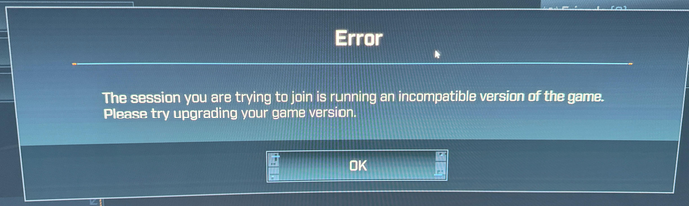
Workaround: Confirm that your files aren't installed to Microsoft OneDrive, and ensure that your Windows user name does not contain any non-English characters.
コメント
The inclusion of non-English characters causing this error has been resolved in a recent update.
Borderlands 4: Update Notes - November 20th, 2025
Small update, we believe this also might be preventing players from getting the Weekly Activity updates (Moxxi's Big Encore, Maurice's Black Market Vending Machine, Wildcard Mission) and we are still actively investigating.
We have a few troubleshooting steps players can attempt while we continue to look into this.
投稿コメントは受け付けていません。